
3.0 KiB
cd-browser
Stop typing paths. Browse them.
cd-browser is a fast keyboard-driven directory navigator for the terminal.
It lets you explore directory trees visually and jump to any folder instantly.
Repository (full demo + docs): https://gitea.sakydogalo.es/saky/cd-browser
Why cd-browser?
Working in the terminal often means:
- typing long directory paths
- navigating deep folder trees
- repeating
cd ..multiple times
cd-browser provides an interactive terminal UI that allows you to browse directories with the keyboard and return the selected path directly to your shell.
Features
- ⌨️ Fully keyboard-driven workflow (
↑/↓/←/→) - 🌲 Expand and collapse directories (
→to expand/enter,←to collapse/back) - 📜 Navigation history inside the session (
hhistory mode,bback,fforward) - ⚡ Returns the selected path to the shell (
Enterto confirm,Escto cancel) - 🔎 Press
.to toggle hidden directories - 🖥 Native terminal interface
- 🔁 Works with Bash, Zsh and other shells
- 🚀 Fast visual navigation of directory trees
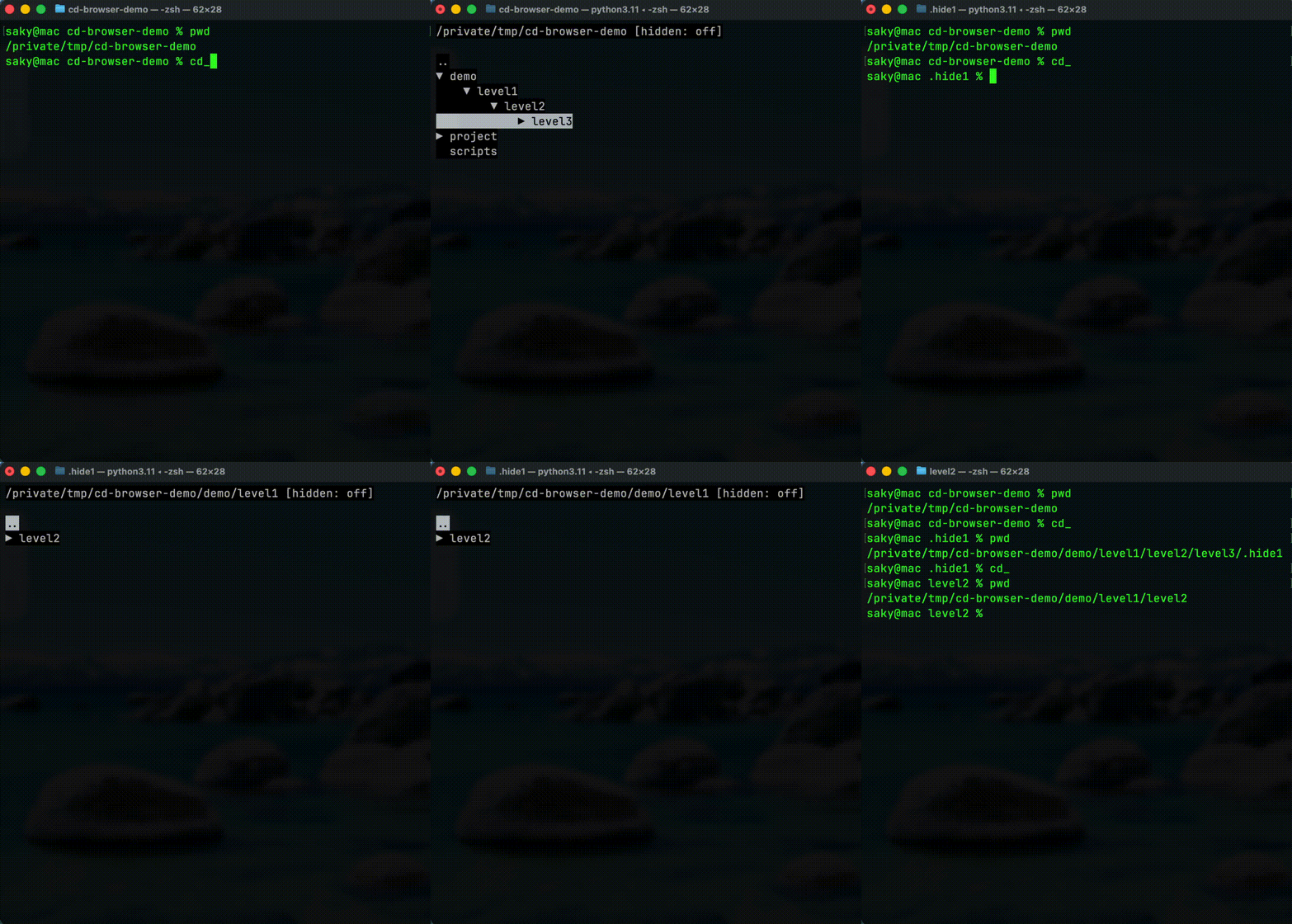
Quick Demo
Run:
cd_
Browse directories using the arrow keys and press Enter to jump directly to the selected folder.
Documentation
See the documentation index:
docs/index.md
Installation
Install the project in user mode:
pip install cd-browser
Important: After installation, run this to set up the cd_ command:
cd_browser_post_install
This interactive script will guide you through enabling cd_ in your shell.
Shell Integration For cd_
Because a Python subprocess cannot directly change the parent shell directory, use a shell wrapper that captures the final path printed by cd_browser.
Bash or Zsh example:
cd_() {
  local target
  target="$(cd_browser)" || return

  if [ -n "$target" ] && [ -d "$target" ]; then
    cd "$target"
  fi
}
After adding the function to your shell profile, reload it:
source ~/.bashrc
Or:
source ~/.zshrc
Then use:
cd_
- Dentro de
cd_browser, presiona.para alternar la visualización de carpetas ocultas.
Uninstall
If the project was installed with pip, remove it with:
pip uninstall cd-browser
Important: After uninstalling, remove the cd_() function from your shell profile (~/.bashrc or ~/.zshrc) to clean up completely.
Developer Setup
Recommended setup:
make dev
Run the application in development mode:
python -m app.main
Useful development commands:
make fix
make quality
make run
Template Origin
This project was created from the Python AI Dev Template.
The original template documentation has been preserved in README_TEMPLATE.md so the project-specific README can focus on cd-browser usage and development.
For the original template setup, conventions, and generic workflow notes, see README_TEMPLATE.md.